

FireCast OS
Embedded operating system for smart connected devices and digital signage
How it Works Features System Requirements
FireCast OS enables you to create smart connected devices and digital signs -- and run them all with the same software. Everything you need to show multimedia and web applications is built right in, so there's never any third-party software to install. And to help you manage all your devices from one place, FireCast OS is designed to work with FireCast ClientCenter Cloud, our web-based remote management system.
How does it work?
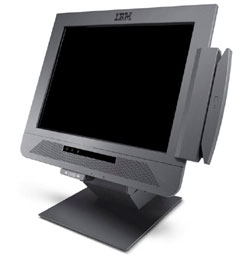
Pick your hardware
Select an industrial-strength media player, touchscreen kiosk or your preferred embedded/project board, or use a regular PC.
Install the FireCast OS software
Once you download the software and burn an installer disk or disk image, you'll have a working system in about 10 minutes.
All of the drivers for the most popular and common devices and peripherals will be installed automatically.

Apply your content or applications
Use your favorite tools to create content. We support both interactive and broadcast-style applications using images, video, and HTML.

Show live TV and RSS feeds
Display live video from a cable/satellite TV box, closed-circuit feed or Internet stream in any part of the screen, and use the built-in ticker to automatically scroll syndicated text and image content.

Create attract loops
Use a custom screensaver to draw attention to your devices when they're not being used.
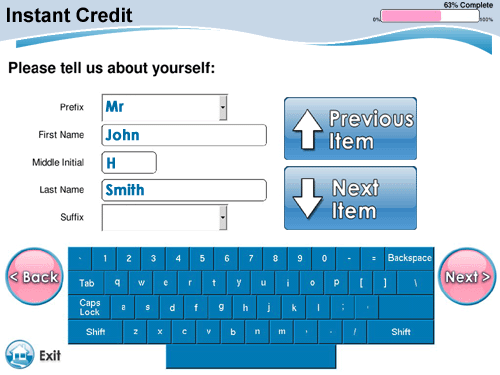
Use virtual keyboards for data entry
Create on-screen keyboards for touchscreen applications, and control when the keyboard appears.
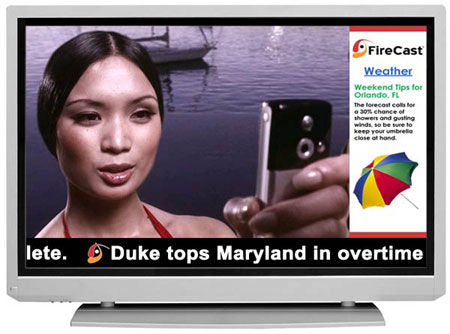
Use widescreen and portrait mode screens
Show content on regular or widescreen displays -- even rotate the picture for portrait mounting.
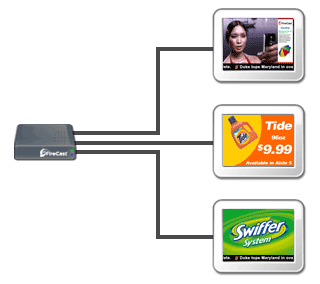
Power multiple screens with every player
Use a video splitter or distribution system to send each player's content to dozens or even hundreds of screens.
On hardware with multiple display outputs, FireCast OS can display a unique multi-zone layout on each screen.
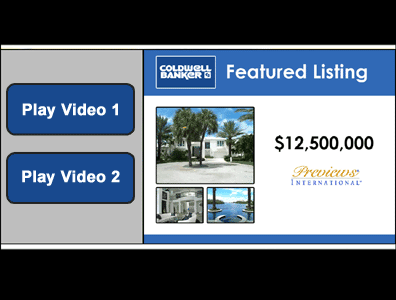
Watch multimedia files on-demand
Let customers choose what they want to see -- great for how-to and training videos. Content can even appear on a touchscreen or another display at the site.
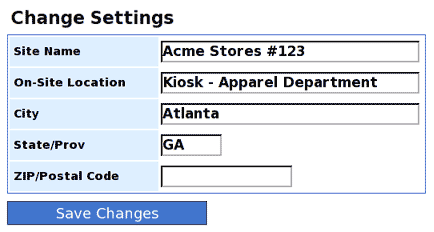
Change settings in the control panel
Update the system's location, network settings, and other info from the control panel.
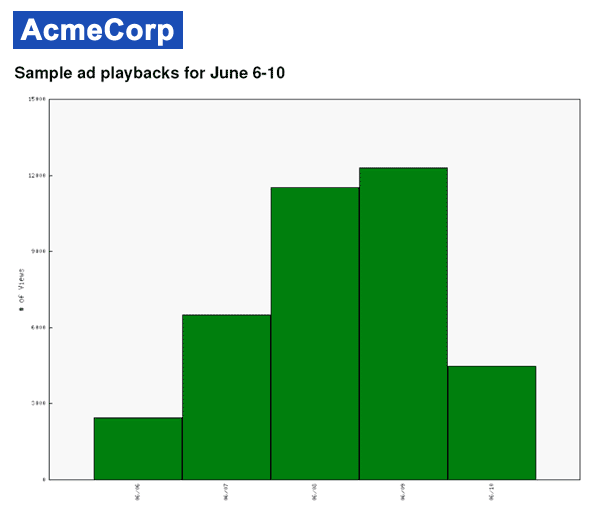
View usage and playback metrics
All events are logged in the ClientCenter remote management system, so you always know if you're getting the results you expect.
Features
Reliable and secure Linux-based environment for connected devices and digital signage
- Point-and-click setup and configuration
- Linux-based platform is immune to the vast majority of viruses and malware
- No Windows licenses or additional kiosk/signage software required
Video and multimedia playback
- Playback of MPEG-1, MPEG-2, MPEG-4 (H.264/AVC), AVI, MOV, HTML5, Adobe Flash (x86 only), and still image (GIF/JPEG/PNG) content
- Support for HD video formats including 480p, 720p, and 1080i/p
- Display multiple videos on the screen at once using simple HTML templates
- Combine pre-scheduled content (e.g. large video files) with live content pulled from the web
- Automatic caching ensures high quality media playback regardless of connection speed
- Create dynamic tickers/crawls using RSS or text feeds
- Show live TV, cable and video feeds
- Display URLs/websites as part of content schedules
- Control display hardware remotely (e.g. turn screens on and off at specific times)
- Change audio volume according to a schedule
- Rotate the display for use with portrait-style monitors
- Automatically copy content from CDs, DVDs, USB drives and SD cards
- Group multiple screens together to form ad-hoc video walls
Create applications with your favorite programs, or use existing content
- Use off-the-shelf programs (such as Adobe Dreamweaver and Flash) to create content
- Display existing websites and web applications
- Built-in Apache web server and Perl and Node.js scripting
- Use HTML-based SmartPage templates to customize content assets, overlay text and image content over videos, and dynamically populate content into different zones
Customizable web-based display interface
- Webkit-based browser provides fast and accurate rendering
- Entire look and feel (menus, buttons, etc.) can be customized using HTML
- Support for placement and scheduling of up to 100 multimedia content zones within interface
- HTML 5.0, XHTML and CSS3 compliant; supports JavaScript, Java, Node.js, Perl, Shell and CGI
Virtual (on-screen) keyboard
- Enable users to enter data via a touchscreen interface
- Change keyboard colors, fonts, and size to meet your needs
Peripheral support
- Supports many popular touchscreens and controllers natively
- Compatible with hundreds of thermal, laser and inkjet printers
- Built-in printer sharing allows any supported printer to be shared among multiple devices
- Integrates with magnetic stripe and barcode readers
- Customizable software event bus for managing GPIO and RS-232 peripherals
Advanced reliability and security
- Self-healing architecture ensures smooth operation
- Tamper-resistant design prevents unauthorized system access
- Robust protection against viruses and malware via Linux OS platform and Webkit-based browser
- Easily restrict users to your list of pre-approved sites (whitelist/blacklist)
- VPN support enables secure connections to corporate networks
- No need to leave ports open or assign public IP addresses
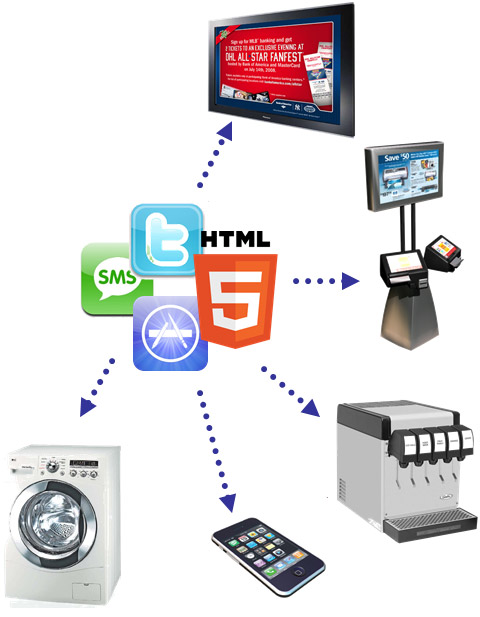
The most flexible apps and content
From the largest video walls to the smallest embedded displays, FireCast OS offers unparalleled flexibility when it comes to content playback. Show locally-stored, accelerated HD video, dynamic HTML5 web apps, and streaming media. Or combine them to create a truly compelling experience.
Graphical control panel
- Password-protected area provides access to operating system settings
- Configure peripherals, manage files, and perform other local tasks using a point-and-click interface
Guaranteed software availability
- No forced upgrades -- if desired, you can purchase the same version of FireCast OS for the life of your project
- Build your application for a single, consistent deployment platform
Remote upgrades and packaging system
- FireCast software upgrades can be installed remotely
- Modular architecture allows you to remotely install and update your own custom applications, databases, and other files
Wired and wireless connectivity
- Works with Ethernet, WiFi and cellular modems
- Use static or dynamic IP addresses, NAT and custom routing. No external IP address or port forwarding is needed
Serve local content to nearby devices
- Use the built-in web server and WiFi/Bluetooth access points to serve local web, video and application content to nearby mobile devices, laptops and PCs.
Web-based management system (FireCast ClientCenter)
- Easily manage devices from any web-enabled computer
- Create and track playlists and ad campaigns
- Generate detailed reports and monitor device status
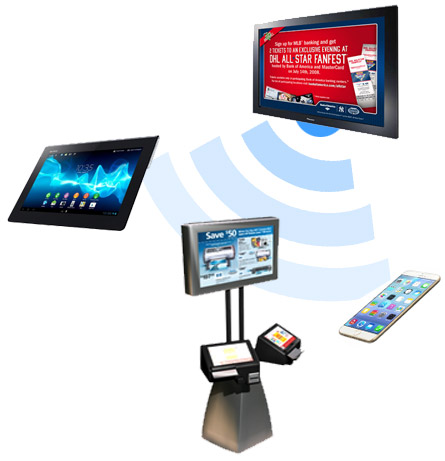
Take control of remote devices
FireCast OS features a built-in web server and networking stack. Serve high-bandwidth video or interactive content to nearby devices on a private WiFi or Bluetooth network, or control and manage other devices using your FireCast OS node as a central hub.
System Requirements
For FireCast OS:
- Single-core x86 (Intel, AMD) or ARM (Freescale) CPU at 1 GHz or greater
Multi-core CPU recommended for multimedia-intensive applications - 1 GB RAM (Simple M2M/IoT applications may require less)
- 10 GB hard drive or solid state disk
- Integrated or discrete graphics
(GPU and video decode acceleration recommended for multimedia-intensive applications) - Ethernet, WiFi or cellular modem
- CD-ROM, DVD-ROM or SD card slot for initial software installation
- Optional touchscreen: FireCast OS supports many USB touchscreens, as well as serial touchscreens from 3M/Microtouch, Cybertouch, Egalax and Elo.
- Optional printer: FireCast OS supports many laser, inkjet and thermal printers.
For FireCast Display Core:
- POSIX-compliant operating system (e.g. Fedora 16)
- Supported x86, ARM or Power Architecture processor
- Other requirements are similar to the FireCast OS requirements, and we encourage you to contact us with details on your platform to verify compatibility.