

FireCast ClientCenter Cloud
Remote management for smart connected devices and digital signage
How it Works
Features
System Requirements
FireCast ClientCenter lets you organize your content, create and schedule playlists, manage applications, generate playback and usage reports, and monitor device status right from your browser. Designed to manage large networks of devices running FireCast OS or FireCast Display Core,
you can apply changes to individual units or groups, or modify the whole network at once.
How does it work?

Create your content
FireCast can display images, video, and HTML. You can create your content with Photoshop, Flash, and other programs.
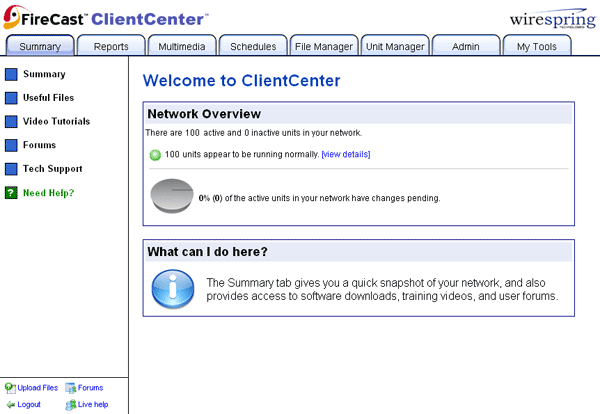
Log in to the site
You can use your favorite browser, like Firefox or Chrome. There's no software to install, and bank-grade encryption keeps everything secure.
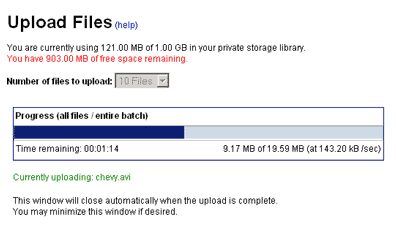
Upload your content
Once you're logged in, you can transfer your files to the central library.
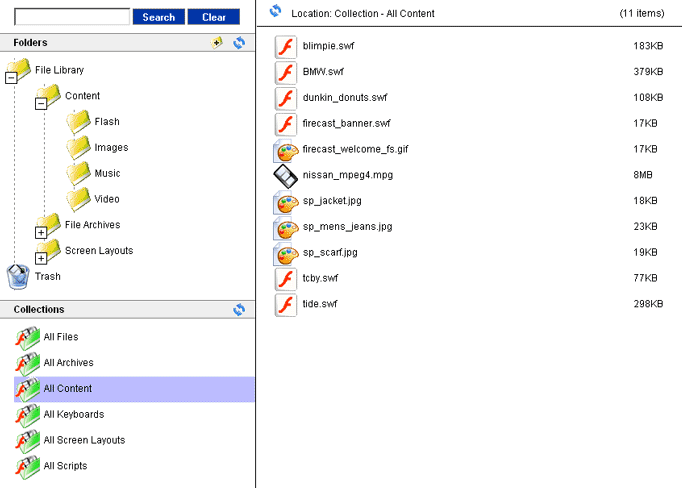
Organize your content
A friendly, drag-and-drop interface helps you organize files by location, advertiser, file type, etc.

Create dynamic content
Use the SmartPages feature to combine content and information on-the-fly, and change things like prices instantly.
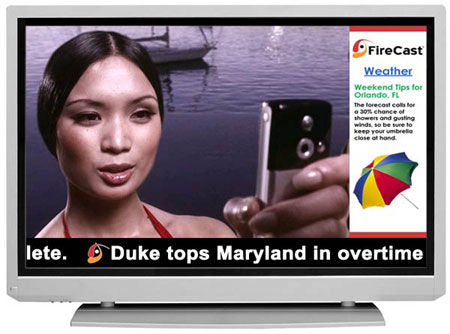
Choose a screen layout
Run content full screen or split the screen into zones.
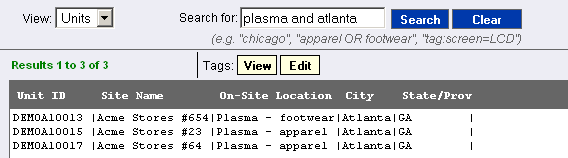
Quickly locate your units
Every device is just a search away. In this example, we're seeing all the plasma displays in Atlanta.
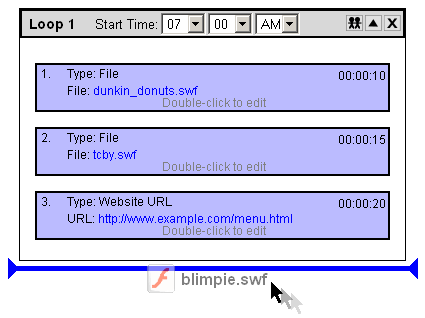
Schedule content with playlists
Create playlists by dragging files into the order you want them to appear, or define more complex playback rules.
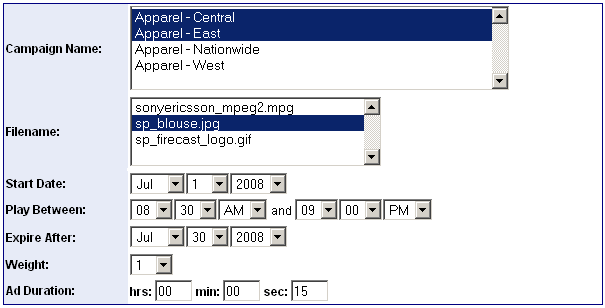
Edit multiple ads at once
Insert new content across the network, edit existing content, or delete files -- without having to open and close every playlist.
Create local or international schedules
Global timezone support means that content always plays at the right local time.
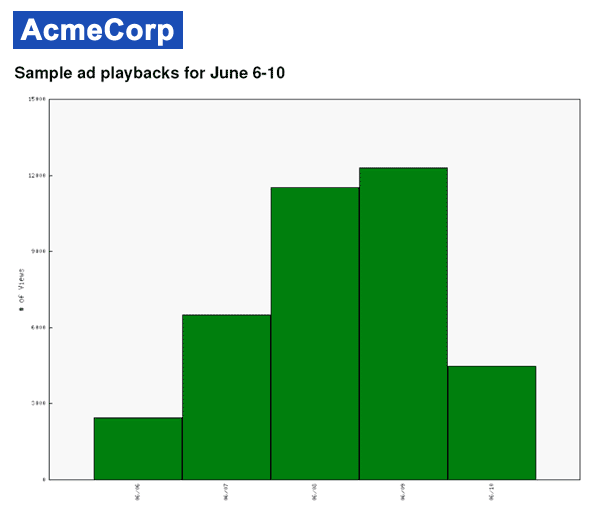
View reports and playback/usage logs
Create custom-branded reports showing content playback, user interactions, etc. You can also download log files in formats like XML.
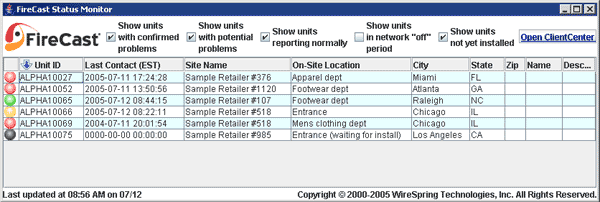
Monitor your network for problems
ClientCenter monitors your units 24x7. You can view status reports in your browser, get notices by email, or use FireCast Status Monitor to receive desktop notifications.
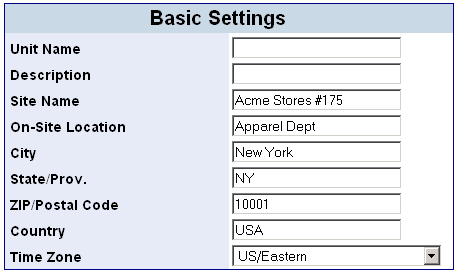
Change system settings
You can customize virtually any setting over the web, from basic descriptions up to video playback options.
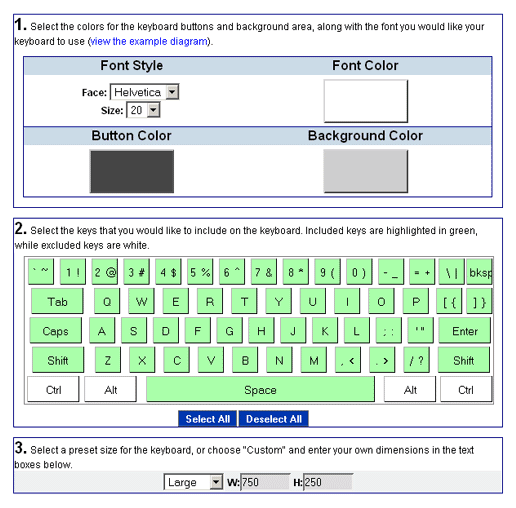
Apply virtual keyboards
Create on-screen keyboards for touchscreen applications, and control when the keyboard appears.
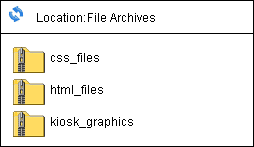
Distribute your apps and other files
In addition to content files, you can distribute entire websites or applications to your units -- and update them later with a few clicks.
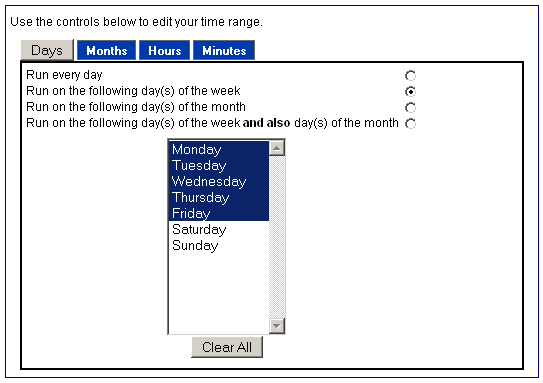
Remotely control peripherals
Remotely turn screens on and off, adjust audio volume or make arbitrary changes to any other connected peripheral device.
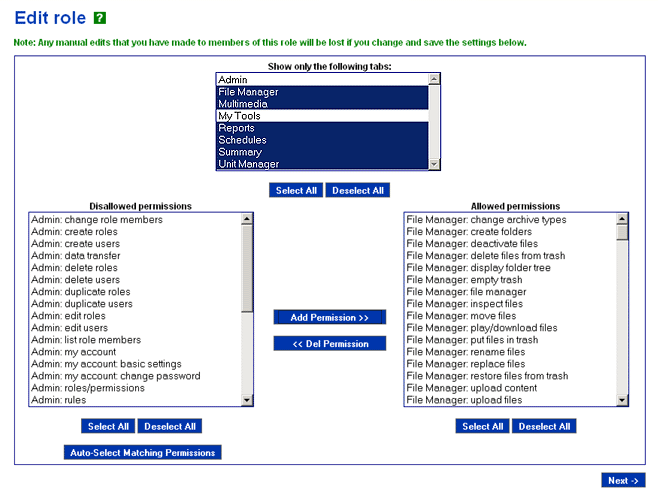
Create logins for other people
Create logins for your staff, partners, and customers so they can access certain areas of the system, e.g. to upload new content.
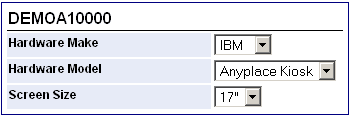
Tag your units with more info
Create your own tags and menus to identify types of hardware, site information, etc.
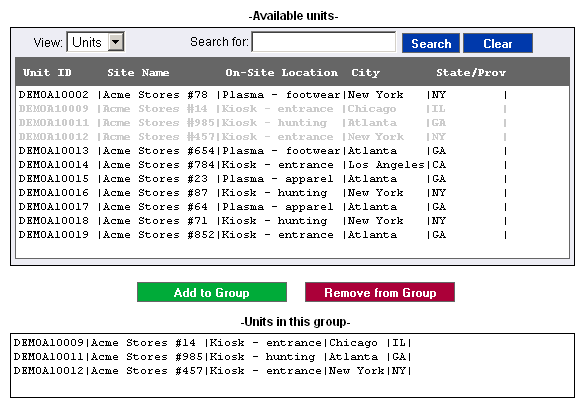
Create groups of units
Put your units into groups to make scheduling easier. Each unit can be in as many groups as you like.
Features
Control connected devices and digital signage via the Internet
- Manage devices from any web-enabled computer
- No need to send out new CDs or SD cards when content changes
- Manage multiple types of devices (e.g. digital signs, interactive kiosks and M2M/IoT devices) with the same user interface
- SSL encryption keeps sessions secure
Content and multimedia control
- Display content full-screen or divide up the display using simple HTML templates
- Create playlists using a drag-and-drop interface
- Combine pre-scheduled content (e.g. large video files) with live content pulled from the web
- Assign schedules based on date and time, geographic location, type of venue, etc.
- Fast response allows for near real-time marketing experiments
- Create dynamic tickers/crawls using RSS or text feeds
- Control live TV, cable and video feeds, including changing the channel remotely
- Schedule URLs/websites and video streams to appear full-screen or alongside other multimedia files
- Control display hardware and schedule automated tasks (e.g. turn screens on and off at different times depending on the day of the week)
- Specify whether content should remain in its zone or occupy the full screen (or multiple screens)
- Change audio volume according to a schedule
Centralized file storage and distribution
- Upload content once, regardless of how many devices will be displaying it
- Batch file uploader with progress bar
- Guaranteed content delivery system automatically resumes partial downloads and can acquire large files even via slower connections
- Limit file downloads and network usage to certain times of day, if desired
- Limit check-in types and frequency on bandwidth-constrained connections
Reporting tools
- Easily create reports on ad/content playback, log data, and more
- Create and assign custom events and log messages
- Provide proof-of-playback for advertisers
- Display data tables, graphs, or a combination of both
- View reports online or download them for later use (XML, PDF, Excel, etc.)
- Customize your reports by adding your own text and logo graphics
- Save commonly used reports and re-run or edit them with a few simple clicks
Grouping options
- Place devices into groups to simplify management tasks
- Each unit can belong to multiple groups
- Apply changes to individual units or groups, or change the entire network at once
- Assign custom tags and metadata to units and content assets to aid in sorting and searching
User and role management
- Create and manage user accounts for your staff, advertisers, etc.
- Specify which parts of your account each user can access (e.g. only allowing advertisers to upload new files)
- Limit users to only a select group of units, and/or a limited selection of content in the storage library
- Update multiple users at once by assigning shared roles
Monitoring and remote control
- Monitor device status in near real-time
- Automatically email the system administrator(s) when problems occur
- Remotely restart applications or reboot devices
- Launch remote console and desktop sessions directly from the ClientCenter interface
- Create command scripts to automatically execute sequences of commands on regular schedules (e.g. turn screens on at 8 am on weekdays, and 10 am on weekends)
- Use FireCast Status Monitor to track device status and receive notifications on your desktop
Firewall-friendly, highly secure network architecture
- Compatible with virtually any enterprise network
- Communication with devices takes place via standard HTTP over port 80
- Units are authenticated using 2048-bit x.509 certificate authentication
- Works with static or dynamic IP addresses
- No need for externally addressable (public) IP addresses
- No need to leave inbound ports open
- Supports virtually all firewalls and proxies
Remote access to virtually every setting
- Change content, user interfaces, applications and more from ClientCenter
- Adjust audio volume, video settings, and other options
- Change settings specific to your own custom applications
URL restrictions and browser security
- Easily restrict users to your list of pre-approved sites (whitelist/blacklist)
- Automatically block popup ads (if desired)
- Limit the number of browser windows that can appear on the screen
Remote upgrades and packaging system
- FireCast OS software upgrades can be distributed remotely, without physically accessing the devices
- Upload your own custom applications, databases, and other files to the central storage library
- Apply software modules to individual devices, or change the entire network at once
Simple pricing structure
- Cloud-hosted model provides straightforward and affordable pricing, while eliminating upfront capital expenditure and minimizing load on IT staff
- Option to license the server software and host on-site or in a private cloud for large deployments
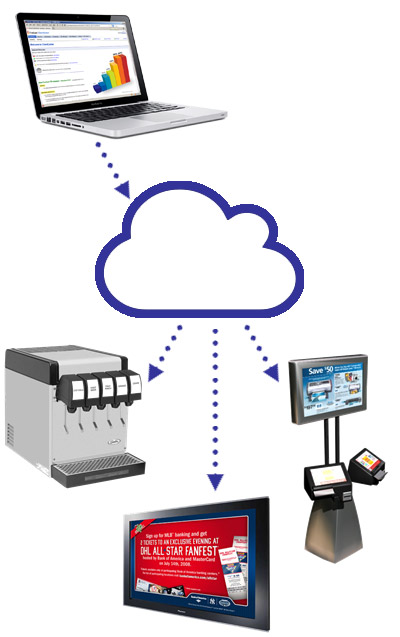
Control your network from anywhere
With ClientCenter you can monitor and manage every aspect of your network from a web browser. Whether you're updating the content on your digital signs, monitoring your network of industrial smart devices, or even controlling a network of heterogeneous devices, ClientCenter lets you do it all from one place.
System Requirements
For FireCast ClientCenter Cloud:
Supported operating systems
- Microsoft Windows
- Mac OS X
- Linux
Supported web browsers
- Firefox 4.0 or later
- Chrome 19.0 or later
- Internet Explorer 8 or 9
Other requirements
- Flash 9 or later
- JavaScript and cookies enabled
For FireCast ClientCenter Virtual Server:
Supported operating systems
- Microsoft Windows
- Linux
Other requirements
- VirtualBox software installed
- Ability to support a 32-bit virtual machine image
- At least 2GB RAM available to the virtual machine
For FireCast Status Monitor:
Supported operating systems
- Microsoft Windows
- Mac OS X
- Linux
Other requirements
- Java 1.6 or later